CrickAi App- Ai Coach app for National Crickter

AI-Driven Match Preparation App for Professional Cricketers

Overview

CrickAI is a high-performance mobile app designed for professional and emerging cricketers to prepare smarter for upcoming matches. The app combines AI insights, tactical analysis, training plans, and coach communication into one unified platform.

This case study showcases my end-to-end design process, from understanding player needs to crafting a clean, actionable interface tailored for athletes under pressure.

Details
Role:

Product Designer (UI/UX)

Project name

CrickAi

Tools

Figma, Photoshop, Invision, Milanote

Involvement:

Visual Design, UX Research, Mapping

Problem Statement

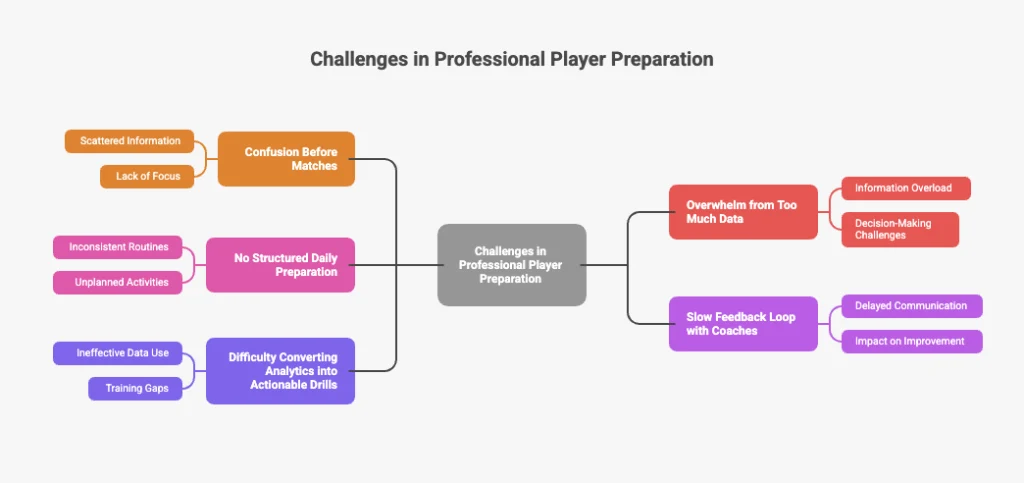
Professional players deal with scattered information across apps, coaching messages, WhatsApp groups, analytics tools, and video platforms.

How might we help a player like Raju prepare confidently, tactically, and mentally for his next match?

Solution

CrickAI consolidates match analytics, training tasks, tactical insights, pitch information, AI suggestions, and coach guidance into one match-ready ecosystem.

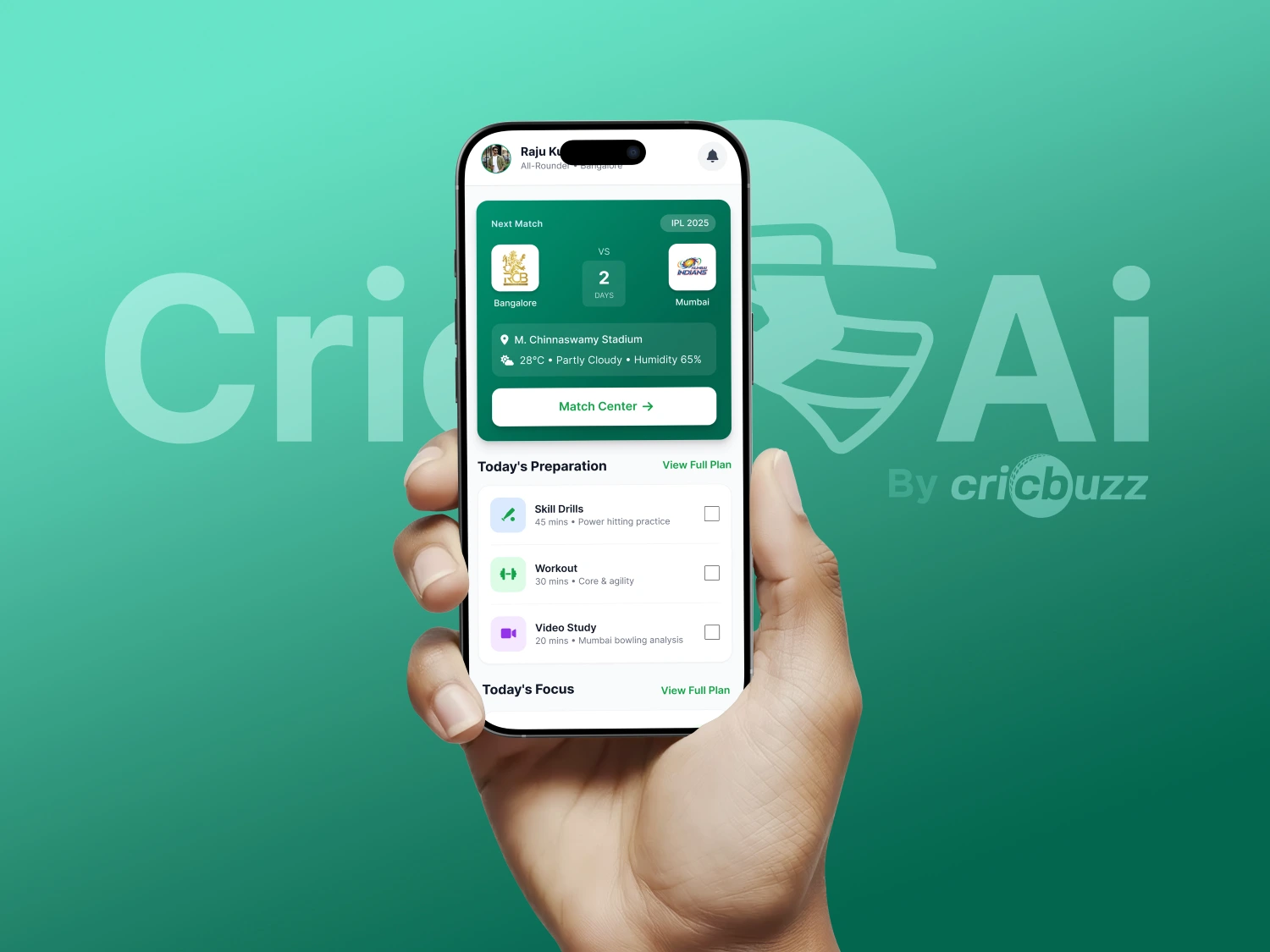
This gives players a clear roadmap instead of confusion.

Key Components

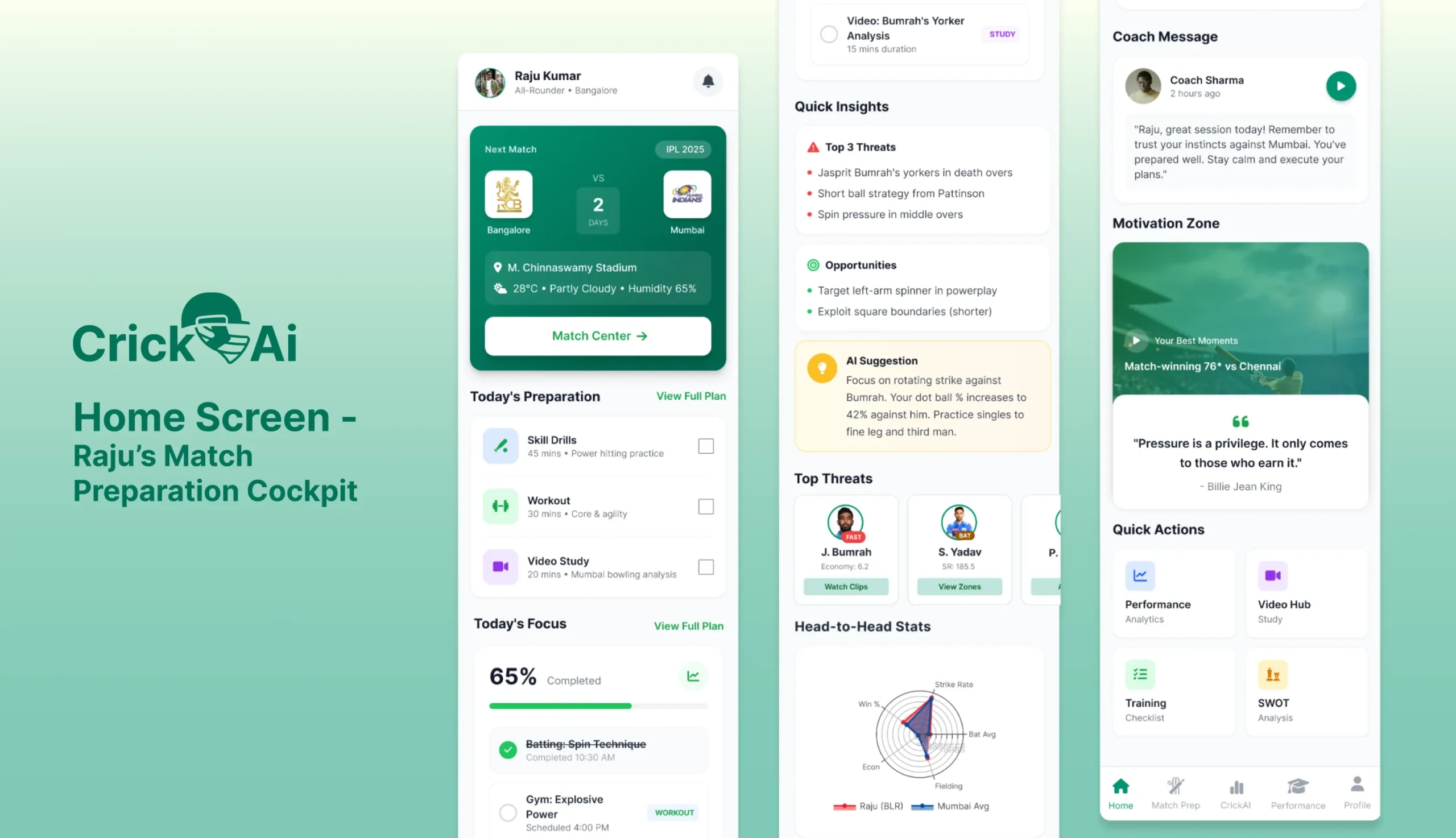
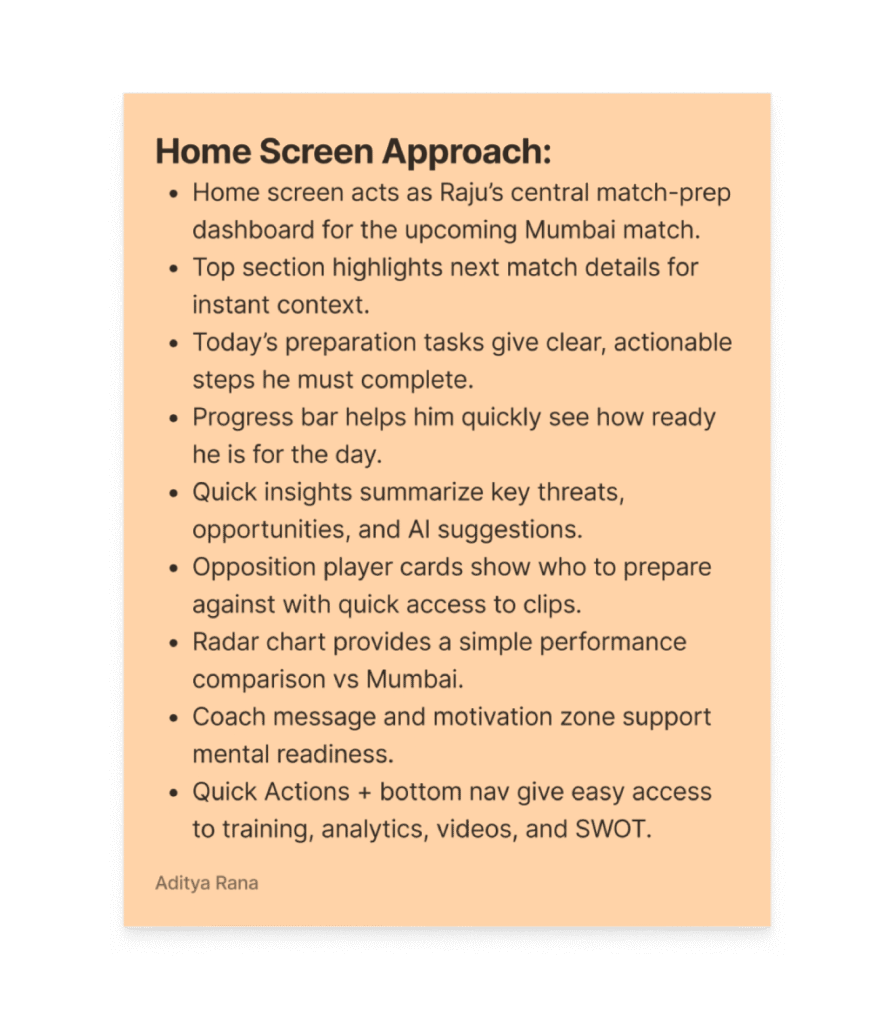
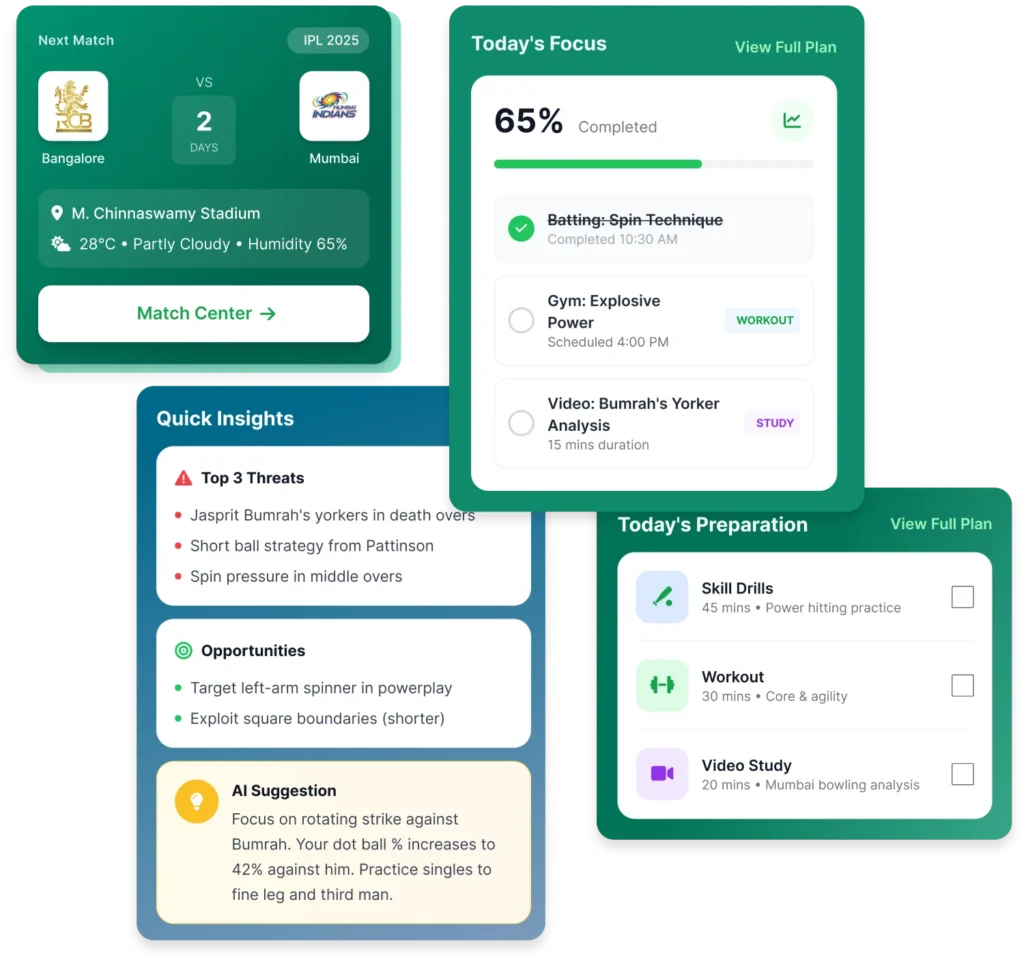
  1. Next Match card with venue, weather, countdown
  2. Today’s Preparation (drills, workout, video study)
  3. Daily progress indicator
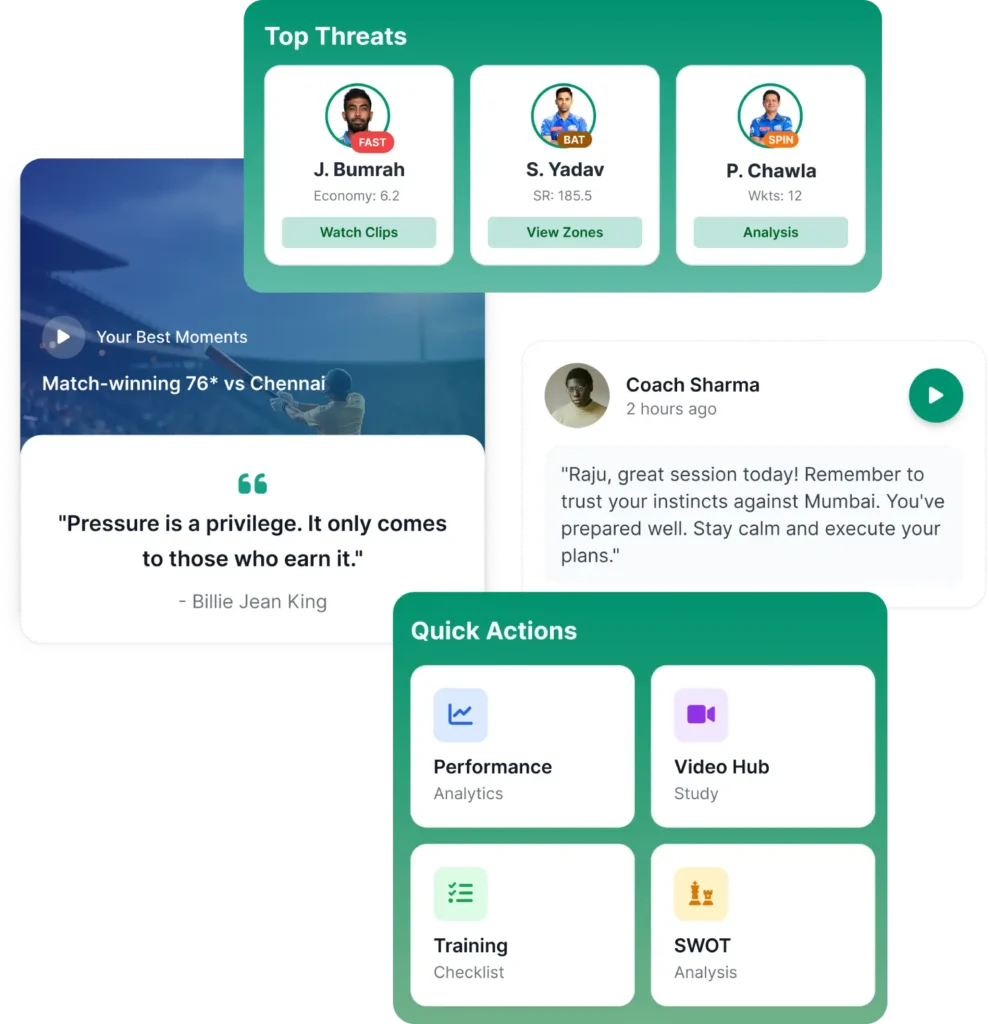
  4. Quick insights (threats, opportunities, AI tactical tip)
  5. Opponent threat cards
  6. Head-to-head radar comparison
  7. Coach message + motivation zone
  8. Quick actions for deep sections

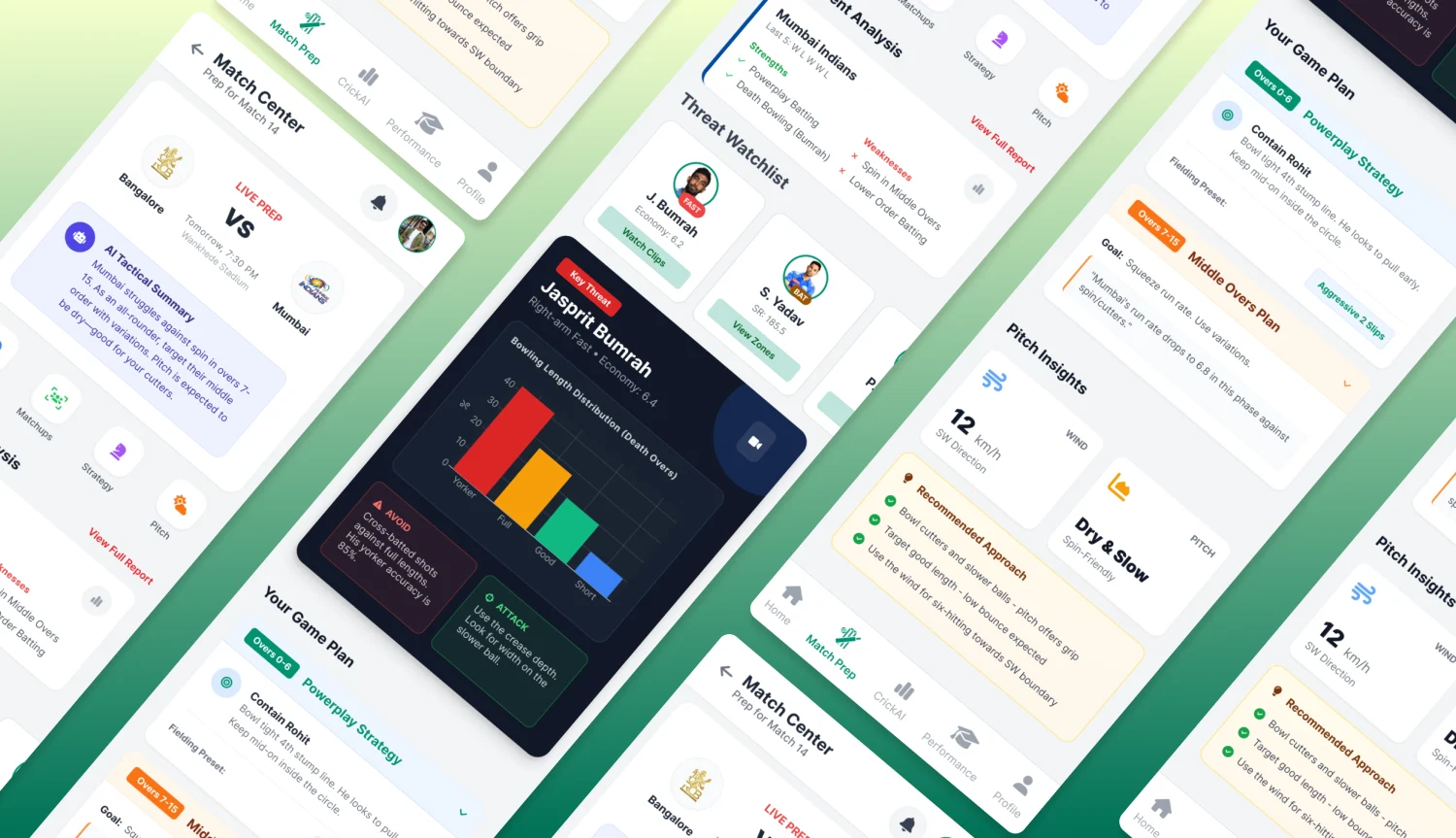
Match Center – Tactical Intelligence Hub

Key Highlight

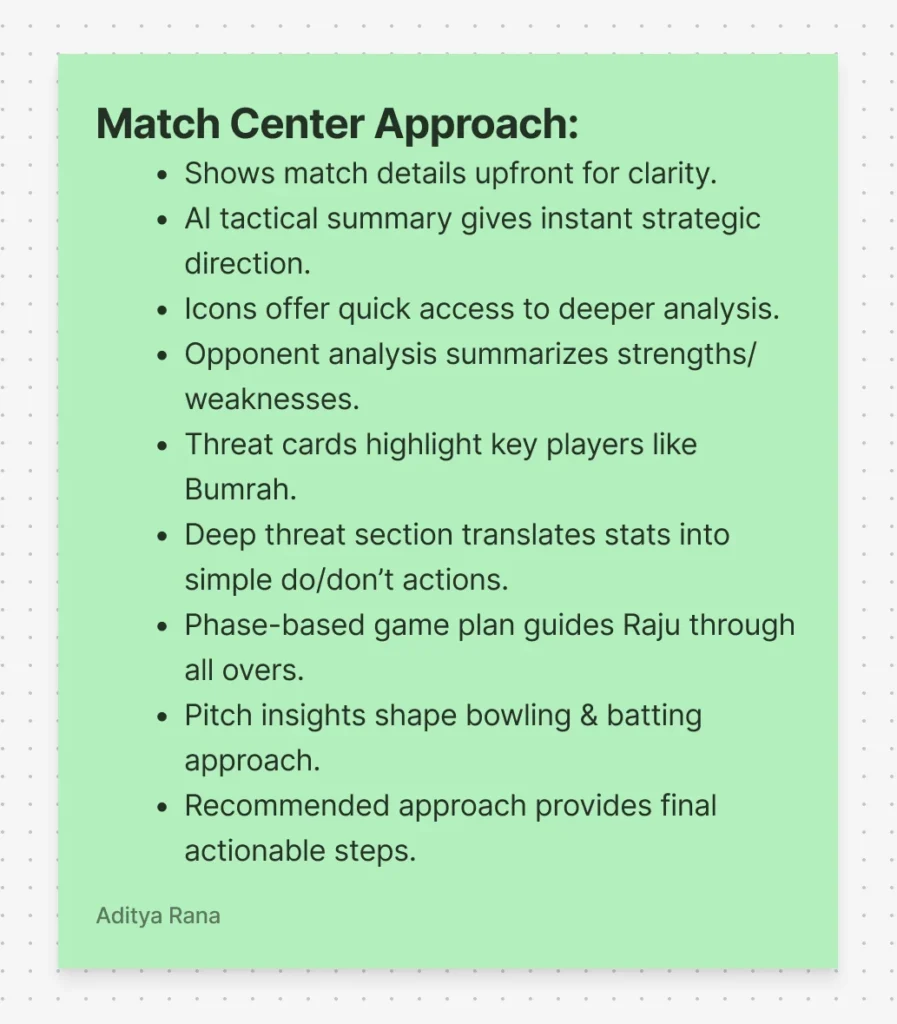
  1. AI Tactical Summary (instant match briefing)
  2. Opponent team analysis (strengths, weaknesses, form)
  3. Threat Watchlist (Bumrah, SKY, etc.)
  4. Deep threat card with “Avoid / Attack” suggestions
  5. Phase-based game plan (Powerplay, Middle Overs, Death Overs)
  6. Pitch insights + recommended bowling approach

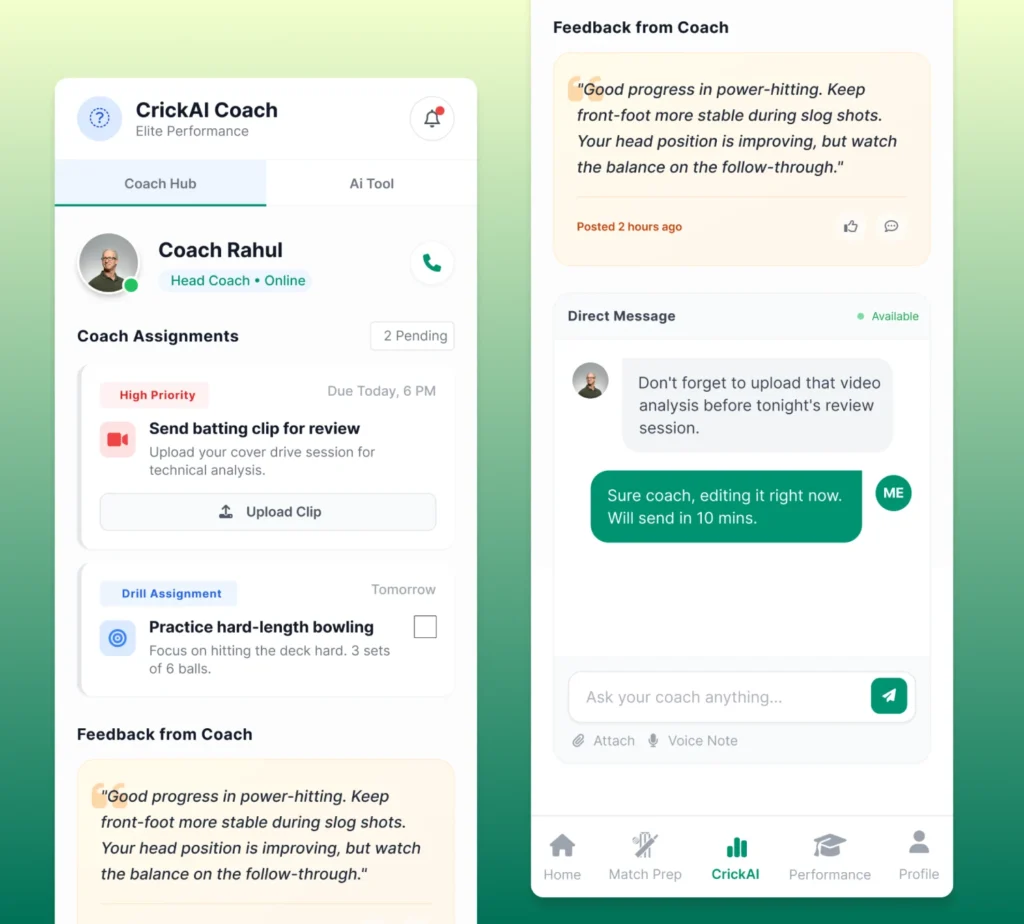
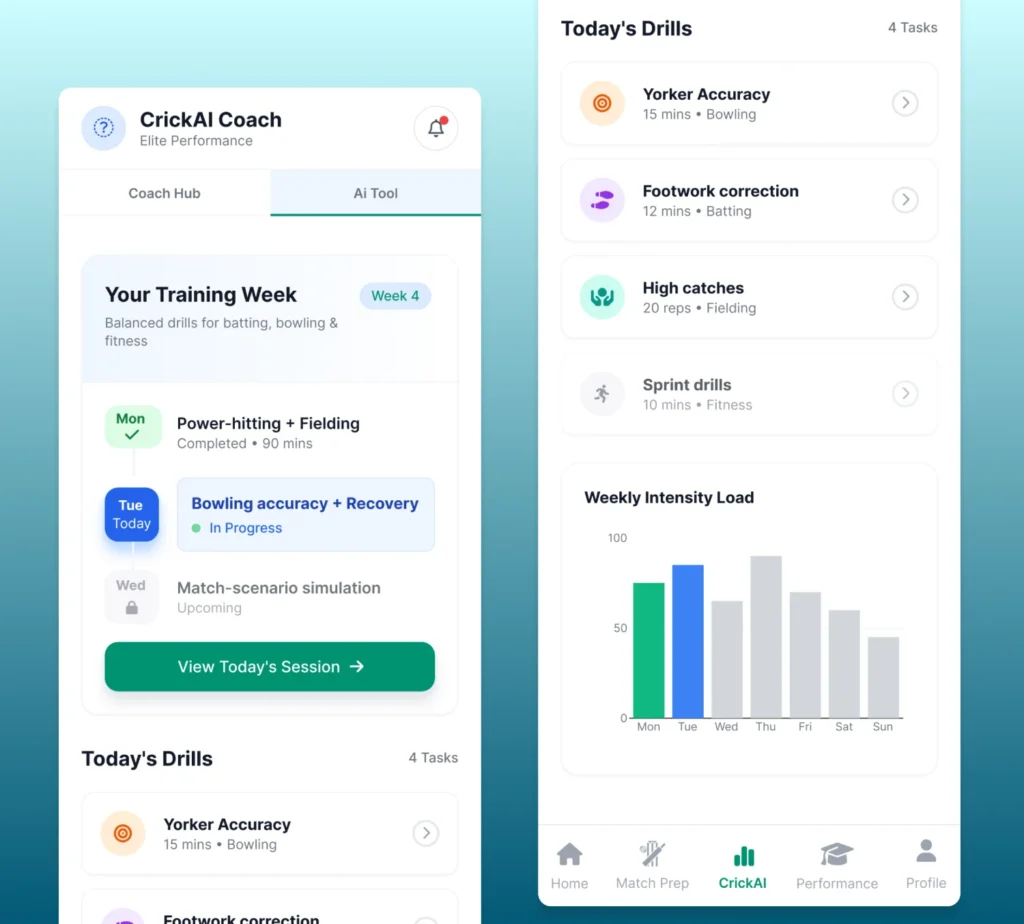
CrickAI Coach Hub – Unified Coaching Workspace

Key Highlight

  1. Coach profile with online status
  2. High-priority assignments (upload clips, drills)
  3. Clear task deadlines
  4. Detailed coach feedback
  5. Direct message + voice notes + media sharing
  6. Weekly training plan
  7. Today’s drills with duration, reps, and categories
  8. Simple CTA to start session
  9. Weekly intensity load graph for workload balancing

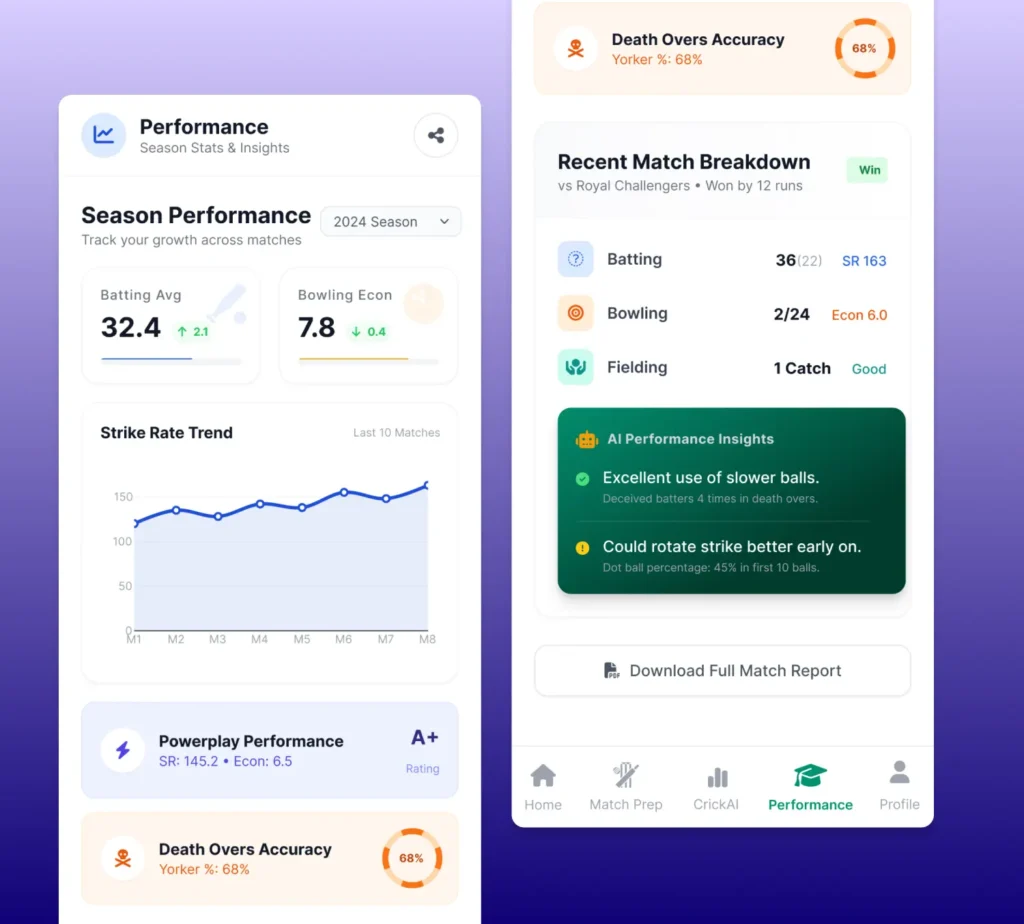
Performance Screen Track Growth & Identify Patterns

Performance Screen — Track Growth & Identify Patterns

Key Components

Intent: Convert match data into meaningful personal insights.

  1. Season performance stats (bat avg, economy, improvements)
  2. Strike rate trend across matches
  3. Phase-based ratings (powerplay, death overs)
  4. Recent match breakdown
  5. AI performance insights (what worked, what to improve)
  6. Downloadable match report

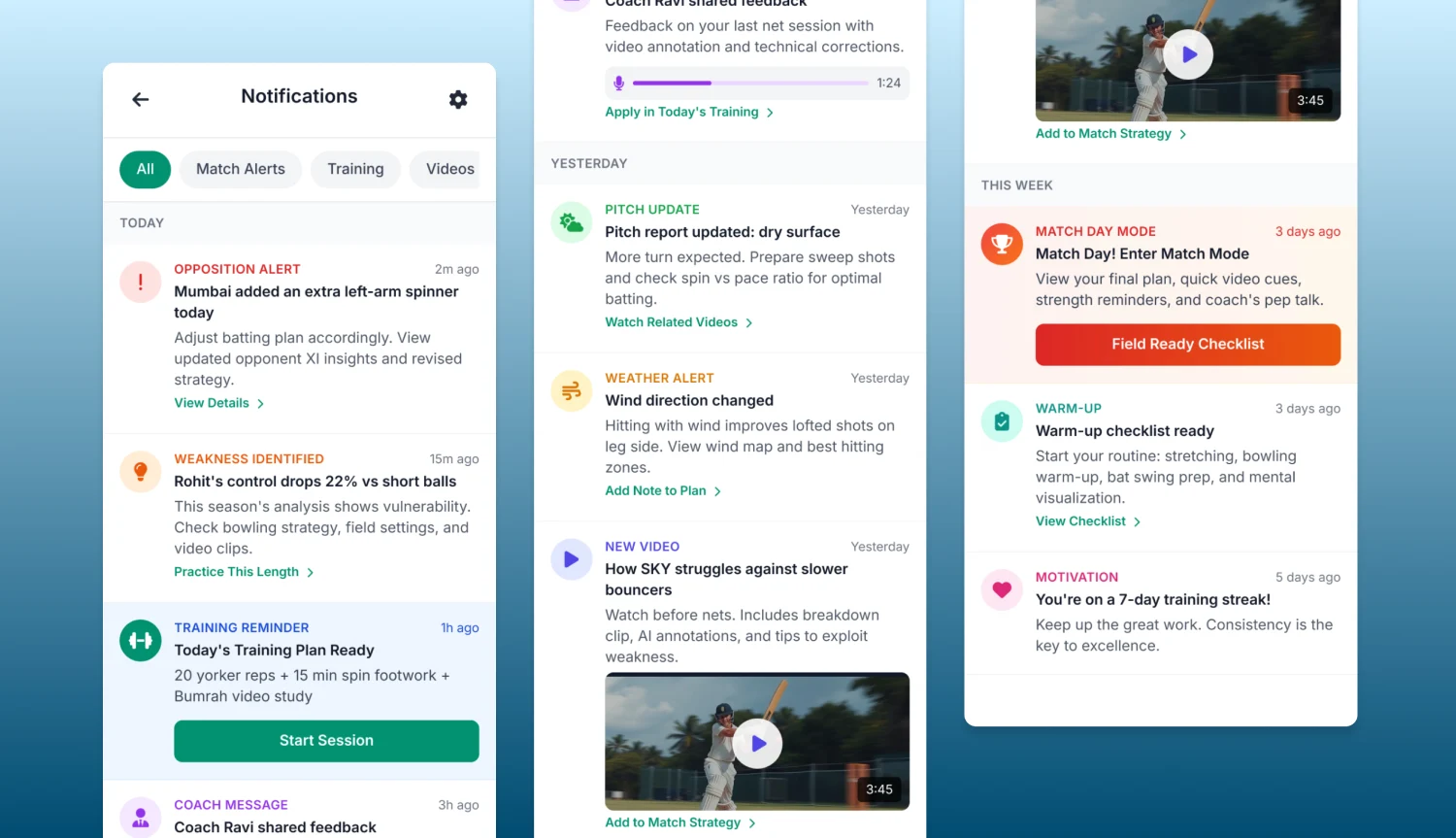
Notifications – Smart Alerts for Real-Time Decisions

Types of Alerts
  • Match alerts (opposition changes, pitch updates)
  • Weakness identification (e.g., Rohit vs short ball)
  • Training reminders
  • Coach messages
  • Video recommendations
  • Motivation streaks
Design Logic
  • Color-coded alerts for urgency
  • Action-driven CTAs (View Plan, Add to Strategy, Start Session)
  • Rich media previews for video notifications